

Rule Engine
Extraction that runs only as hard as necessary
The Rule Engine turns AirWatch sensors and filter units into a team. The sensors watch the air, and the Rule Engine makes sure the units work exactly as much as currently needed. No more and no less.
What it does for you
Five things the Rule Engine takes care of
React to fume automatically
When welding starts and particulate matter rises, the units ramp up. When the air is clean again, they ramp down.
Control the whole hall as one
Several AirWatch and several units in one rule. By default the worst sensor counts, so a single smoky workstation is never “averaged away”. All units are controlled together.
Respect the clock
Quiet at night, base extraction in the morning, a fixed value during maintenance: all configurable through time windows.
Save energy and wear
Units run only as hard as the air requires. A dead band and hold times prevent constant switching back and forth.
Err on the side of safety
If all sensors fail, the units run at full power, never off.
Roles and power levels
The dirtier the air, the more power
AirWatch sensors deliver the reading, PM10 by default, optionally PM2.5. Any number of sensors can count in one rule.
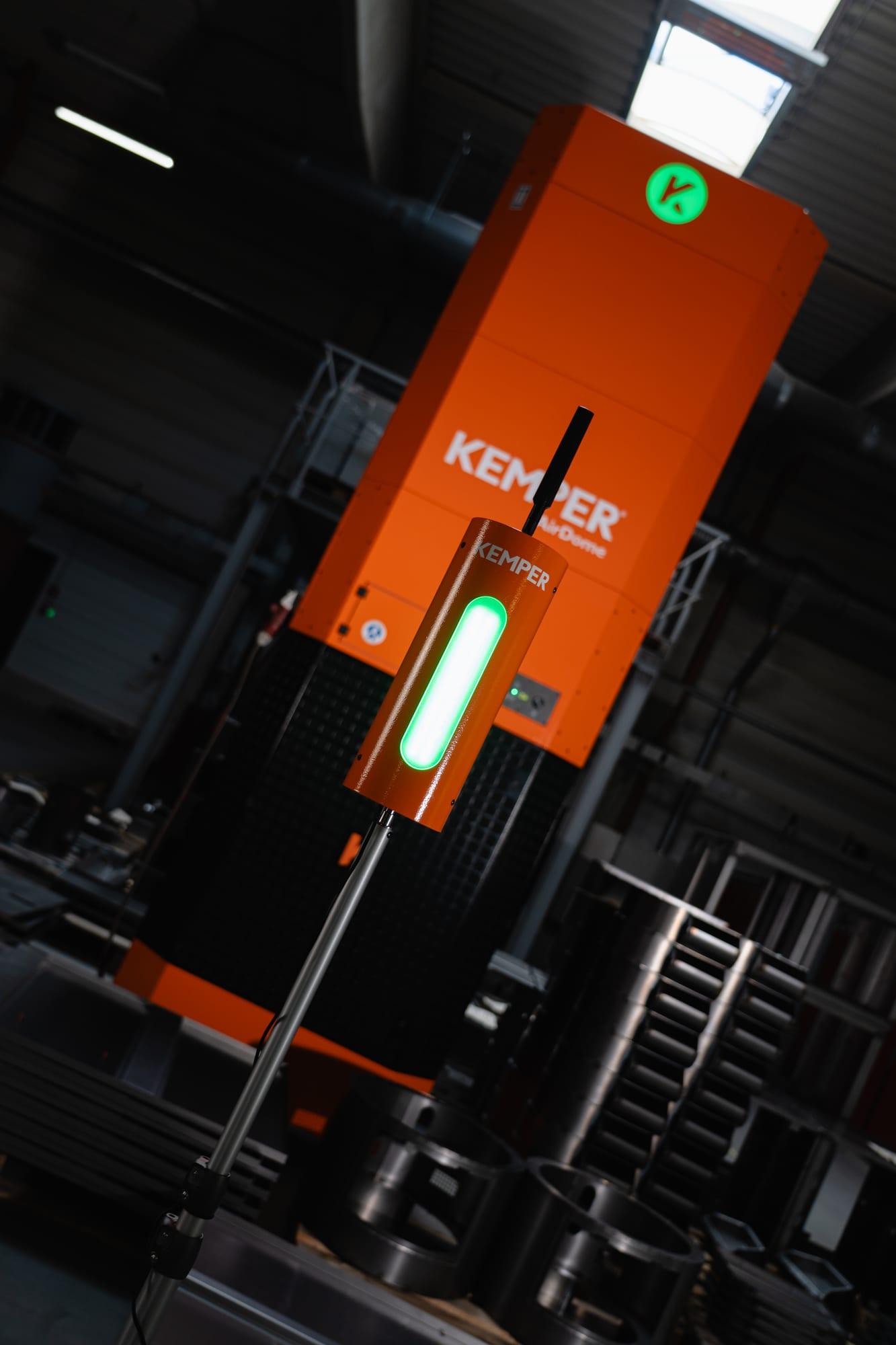
The AirDome is currently the only unit whose power the Rule Engine adjusts continuously: the power in percent is applied as a volume flow setpoint. CleanAirTower, VacuFil Compact, MaxiFil Clean, and Automation Line, also through the KEMPER Connect Bridge, as well as the PLC-controlled filter units on the KEMPER Connect IoT Kit are switched on and off; any setpoint above 0 % means ON. For new CleanAirTower units, continuous control through the volume flow is in preparation.
The default levels are designed for typical welding and hall applications and can be adjusted. Alternatively, the “Proportional” strategy adjusts the power continuously between two readings, which makes sense for the continuously controlled AirDome.
Setup
Creating a rule: four steps
- 1
Assign a name
For example “Welding station North”.
- 2
Select AirWatch
One sensor or several. When the Rule Engine is opened for the first time, the devices of the site are synchronized once.
- 3
Select extraction units
One unit or several. Bridge machines are listed under their real machine name.
- 4
Check the overview and “Create”
The rule runs immediately with proven default settings. Nothing needs to be parameterized.
If the site still has rules from basic automation, the Rule Engine warns about double control.
How the Rule Engine thinks
Target and actual state
The Rule Engine continuously calculates a target (“unit should run at 40 %”) and compares it with the feedback from the unit. If the actual state deviates, it sends a command. A tolerance window around the target prevents unnecessary readjustment.
This explains a behavior that surprises at first: if you switch a unit off at the device, you will see it start again a few minutes later, because the rule restores the target “ON”. If you want to operate a unit differently for good, change the rule or the time windows, not the switch.
On the AirDome, switching on becomes visible in two steps: “Switched on ✓” and “Adjusting volume flow … (actual 9,800 / target 10,400 m³/h)”.
Device status, explained in plain language
| Display | Meaning |
|---|---|
| Change pending | Command is queued, not yet sent. |
| Command sent | Command is on its way, confirmation from the unit is pending (typically within a few minutes). |
| Confirmed | The unit demonstrably runs as requested. |
| Send failed | Automatic retry at increasing intervals. |
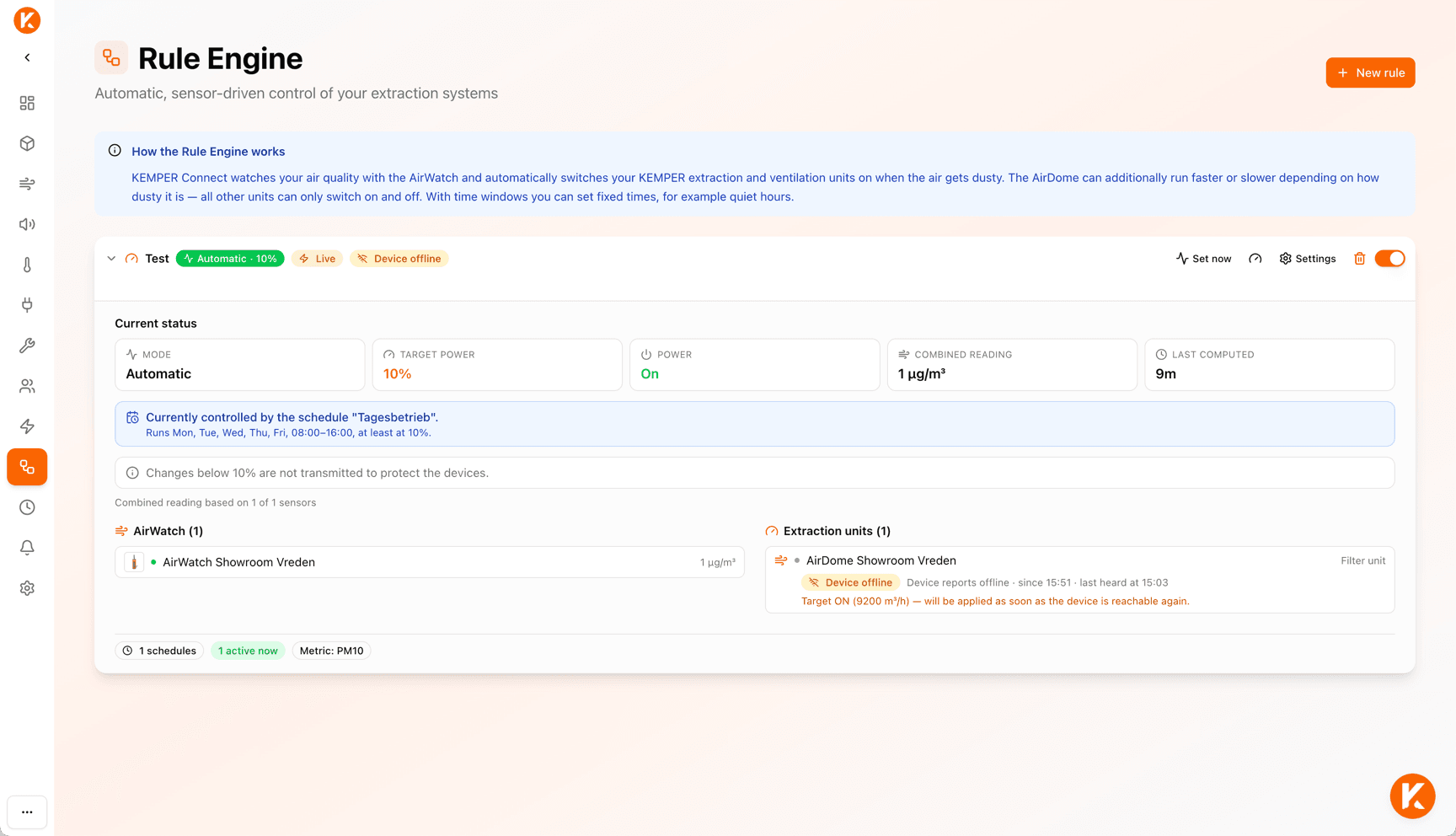
| Device offline | The setpoint stays saved and is applied as soon as the unit is reachable again. |
| No feedback | The unit does not report its state; since the target is “Off”, nothing is sent. |
Time windows
Minimum operation, quiet hours, fixed value
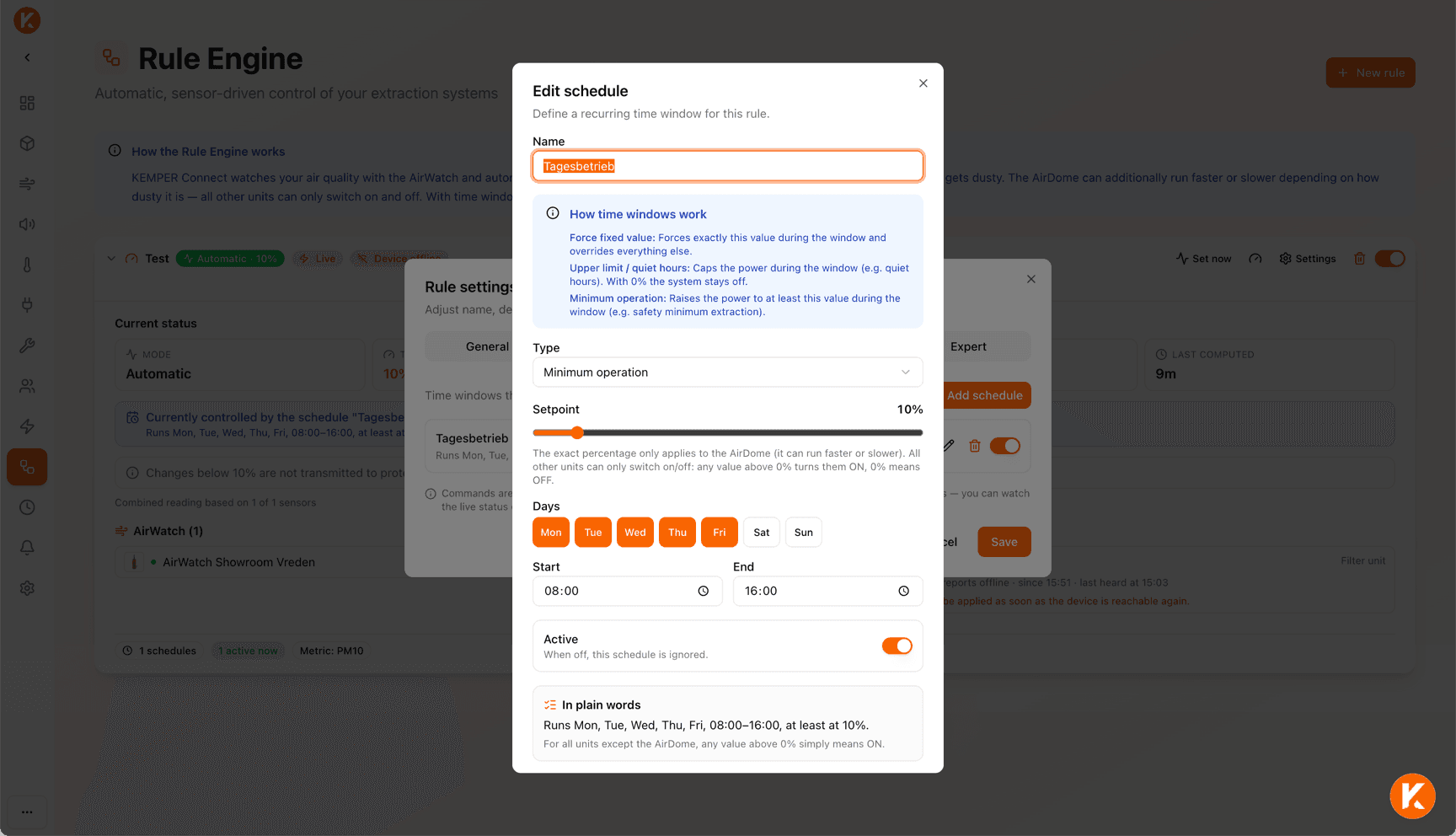
Every time window has a name, weekdays, a start and end time (also across midnight), a setpoint, and one of three effect types. Every window can be enabled and disabled individually. When editing, the dialog shows “In plain words” what the entry does. In the application, time windows are labeled “schedule” within a rule.
- Minimum operation (“at least this much”): The automation may give more, but never less. Example: base extraction Mon–Fri 06:00–16:00 with at least 40 %.
- Upper limit / quiet hours (“at most this much”): The automation may give less, but never more; 0 % means the unit stays off. Example: quiet hours daily 22:00–06:00 with at most 30 %.
- Force fixed value (“exactly this much”): Overrides readings, minimum, and upper limit. Where windows overlap, the higher priority wins. Example: demonstration, maintenance, deliberate manual operation for a set time.
Precedence
What applies when several windows are active at the same time
First the proposal from the reading counts, then the upper limit, then minimum operation, and finally the fixed value. Minimum operation beats the upper limit: safety wins. Where fixed values overlap, the higher priority wins.
A deliberate off window with 0 % stays off even when the failsafe kicks in, for example for the empty hall after the end of the shift.
- 60 %Reading proposalFrom the combined reading of the sensors, e.g. 60 %
- 30 %Upper limit / quiet hoursMay give less, never more. At night at most 30 %
- 40 %Minimum operationBeats the upper limit: safety wins. Early shift at least 40 %
- –Fixed valueOverrides everything, e.g. a demonstration or maintenance. Otherwise the result above stands
Result in the example: 40 %, because minimum operation beats the upper limit. A deliberate off window (0 %) stays off even in failsafe.
Manual override
“Set now”: the quick override for a set time
Every rule has a button: choose power (Off, 25, 50, 75, 100 %) and duration (1, 2, 4, 8 hours), done. Technically this creates a fixed-value time window with high priority for today; afterwards the automatic mode takes over again.
Ideal for demonstrations, maintenance work, or production situations that change at short notice.
Understand what happens
Test mode, rule card, and diagnostics
Test mode
Every rule is “Live” or in “test mode”. In test mode, the Rule Engine calculates and logs what it would do, but sends no commands. This lets you observe a new rule safely before it intervenes.
Rule card
Shows mode and current target (“Automatic · 40 %”), live or test mode, a status while a command is running, and a switch to pause. Expanded: combined reading, last computed, a note on a controlling time window, every AirWatch with its reading and whether it counts, every unit with live status.
Diagnostics: status
Current state, what controls the rule, and the reason for the last decision in plain language, for example “Change too small, not transmitted (device protection)”.
Diagnostics: decision log
When the automation decided what, with which reading, for which reason.
Diagnostics: send attempts
Every single command with time, result, and the “Test” marker in test mode.
Diagnostics: device status
Live comparison of every unit with setpoint, attempts, and last attempt. Diagnostics is also the tool for support: this is where it says what happened when.
Built-in safety
Always active, nothing to configure
Failsafe on sensor failure
If all sensors of a rule stop delivering fresh values (default: 30 minutes), the units immediately run at the failsafe power (default 100 %). The only exception: a deliberate off window stays off.
Single sensor failure
The remaining sensors take over; the rule continues normally.
Outlier protection
Implausible values are discarded, short spikes (a passing forklift) are filtered out by smoothing.
Device protection
Minimal target changes are not transmitted (dead band, default 10 percentage points); there is a hold time between two adjustments (default 15 minutes). Your own overrides and the failsafe still take effect immediately.
Pausing means freezing
A paused rule leaves the units in their last state; nothing is ever switched off automatically.
Limited retries
Unreachable units are protected, not abandoned.
Expert settings
Behind a confirmation prompt, trained users can adjust the control strategy (Steps or Proportional), the reading (PM10 or PM2.5), the aggregation of several sensors (maximum, average, minimum, weighted), smoothing and smoothing window, calculation interval, dead band, minimum hold time, sensor timeout, device feedback timeout, failsafe power, plausibility limits, and the power level table or the proportional mapping.
The default values are designed for typical welding and hall applications; the customer documentation explains every setting with an example. The weights for “Weighted” are assigned through KEMPER Support.
Before and after
Basic automation and Rule Engine compared
Basic automation (one AirWatch, one threshold, units on/off) remains available for single links. For new installations, the Rule Engine is the recommendation.
| Basic automation | Rule Engine |
|---|---|
| Every unit is controlled by exactly one AirWatch. | One rule for the whole area, simply select all devices. |
| If “its” AirWatch fails, the unit is left without control. | Offline sensors drop out automatically, the others take over; failsafe on total failure. |
| Only on/off at one threshold. | Power levels or proportional; AirDome continuously. |
| No time windows. | Minimum operation, quiet hours, fixed values, manual override for a set time. |
| No feedback. | Device status, decision log, send attempts, test mode. |
Four examples
Four requirements, four answers
“The extraction should run automatically when welding takes place.”
Create a rule, select AirWatch and units, done.
“Large hall with four AirWatch and three room ventilation units.”
One rule, select all seven devices. The worst sensor counts, all ventilation units are run together.
“At night the unit may run quietly at most.”
Time window “Upper limit / quiet hours” 22:00–06:00 with at most 30 %.
“During the early shift a base extraction should always run.”
Time window “Minimum operation” Mon–Fri 06:00–16:00 with at least 40 %.
Terms explained briefly
- PM10 and PM2.5
- Particulate matter with a particle diameter of up to 10 or 2.5 micrometers, given in µg/m³. Readings of the AirWatch sensors; the Rule Engine controls by PM10 by default.
- Volume flow setpoint
- Target value for the conveyed air volume in m³/h. This is how the AirDome applies the power in percent continuously.
- Dead band
- Minimum change of the target below which no new command is sent (default 10 percentage points). Protects the units.
- Hold time
- Rest period between two adjustments (default 15 minutes). Your own overrides and the failsafe still take effect immediately.
- Failsafe
- Behavior when all sensors of a rule fail: the units run at the failsafe power (default 100 %), never off.
- Test mode
- The rule calculates and logs but sends no commands. For safe observation before going live.
Which units the Rule Engine controls
AirDome (continuously), CleanAirTower (self-cleaning), VacuFil Compact, MaxiFil Clean, and Automation Line, each natively or through the KEMPER Connect Bridge, as well as the PLC-controlled filter units on the KEMPER Connect IoT Kit (on/off). The VacuFil 125 is monitored only.
Schedules and the Rule Engine should not control the same unit. If you want to combine time frames and air quality control, use the time windows within a rule.
Let the Rule Engine do the math on your units.
In a demonstration, we create a rule for your hall and show in test mode what it would do.